Sweep app icon
Sweep Photo & Video · iPhone, iPad & Mac

Clean up your
camera roll.
One swipe at a time.

Your camera roll has thousands of photos. You've looked at maybe two hundred of them. Sweep turns cleaning it up into something you actually finish — one card at a time, swipe right to keep, left to delete. Ten minutes later you have gigabytes back.

Free iOS 17+ · iPadOS 17+ · macOS 14+ 15 MB No account Works offline
A look inside

Scroll →

/00   App preview Silent · 28s
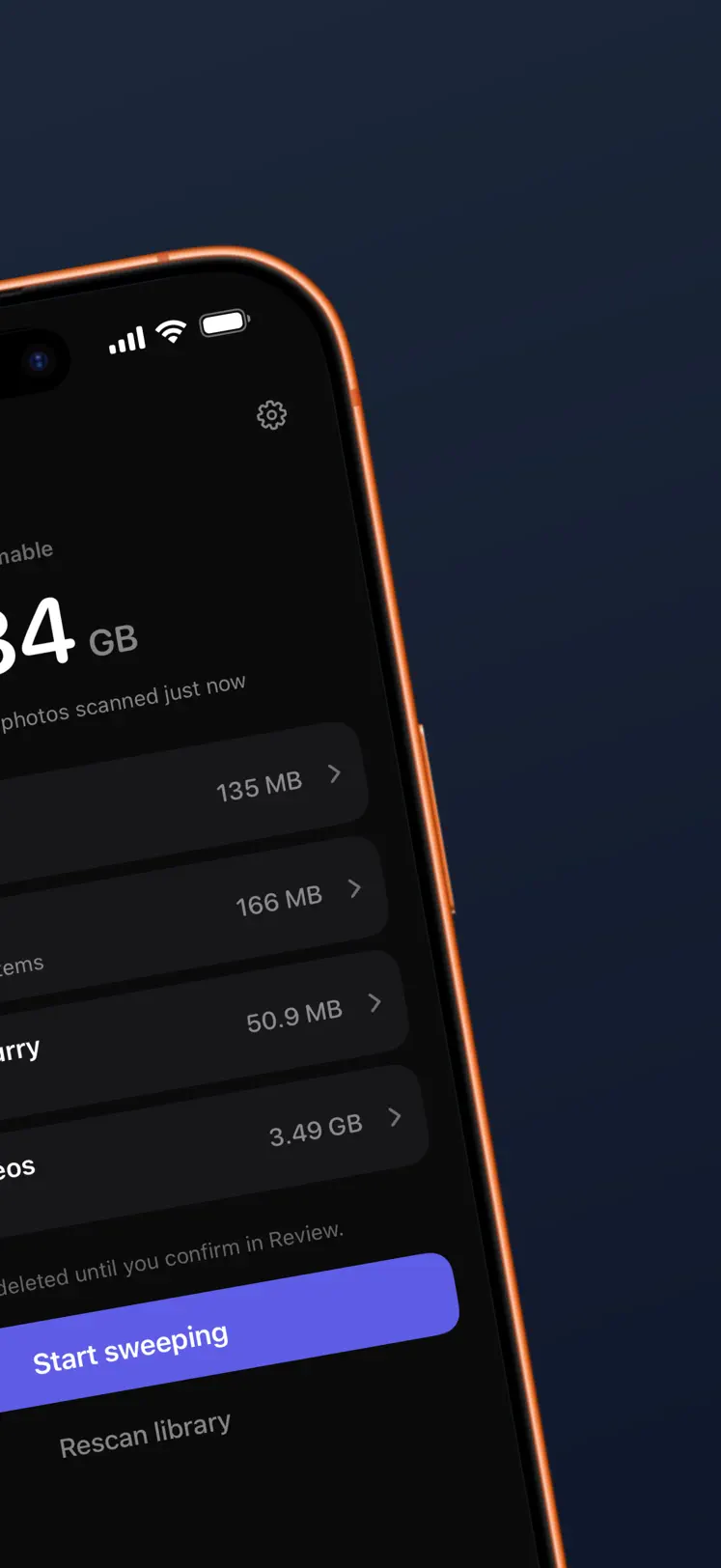
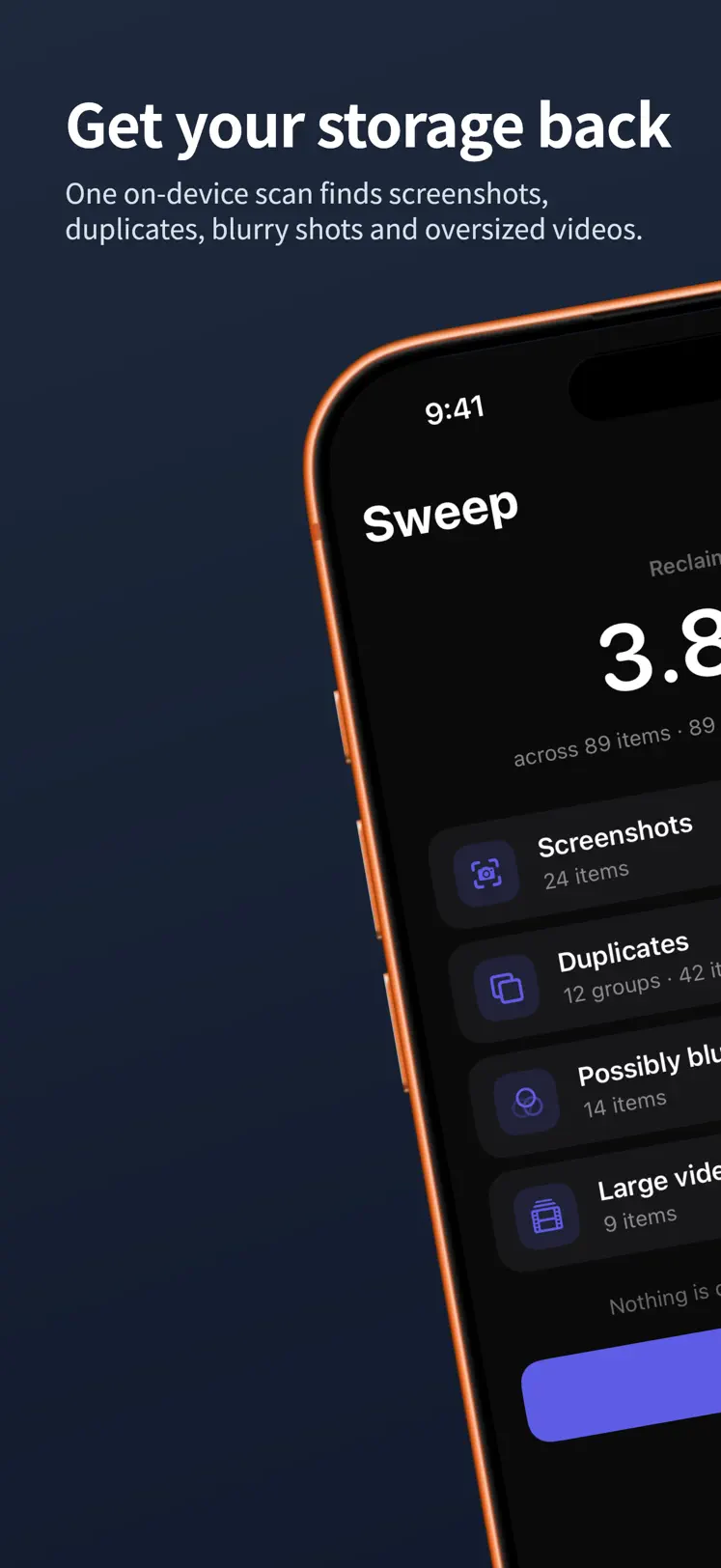
Sweep home screen showing how much of the camera roll is left to review
/01   Where you stand
Sweep categories: duplicates, screenshots, possibly blurry photos and large videos
/02   What it found
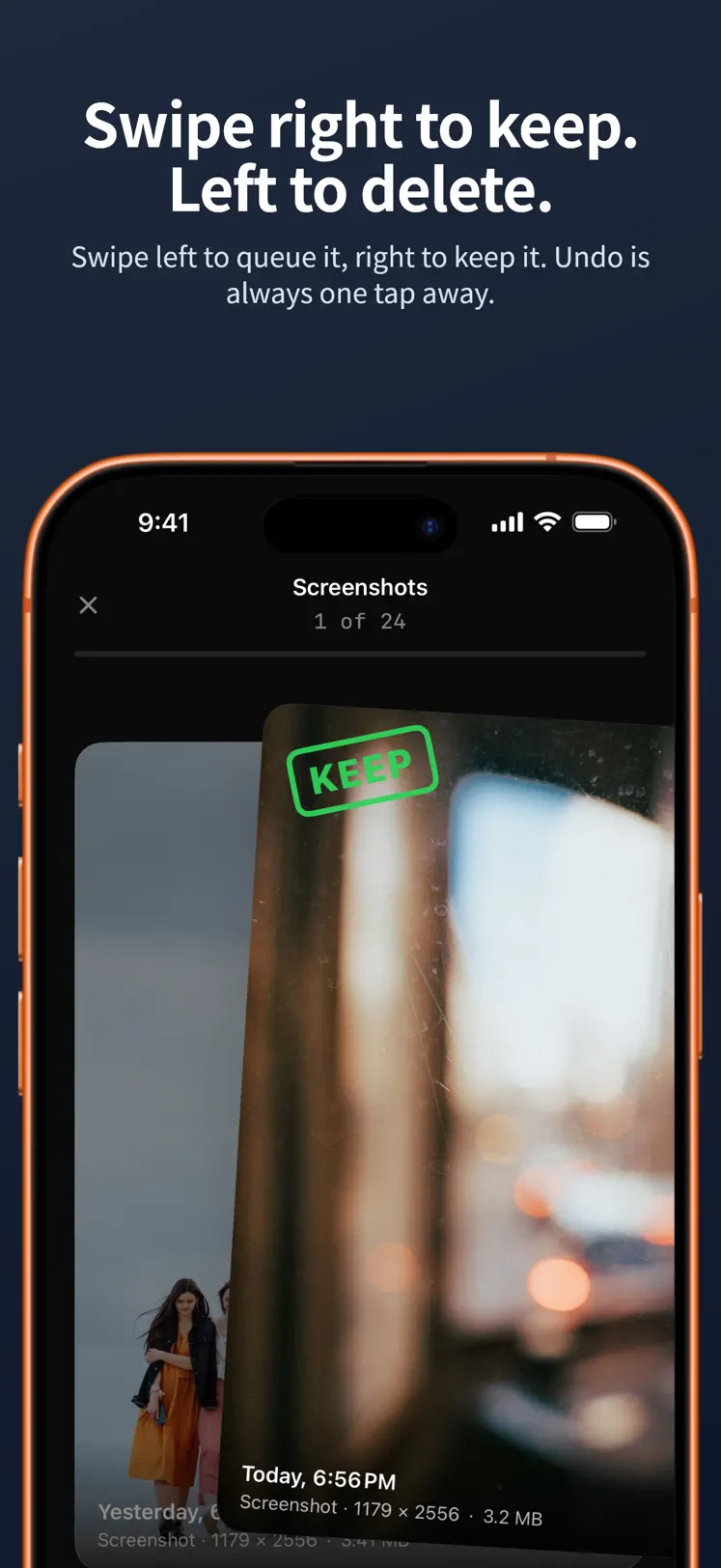
A photo card mid-swipe — right to keep, left to delete
/03   Keep or delete
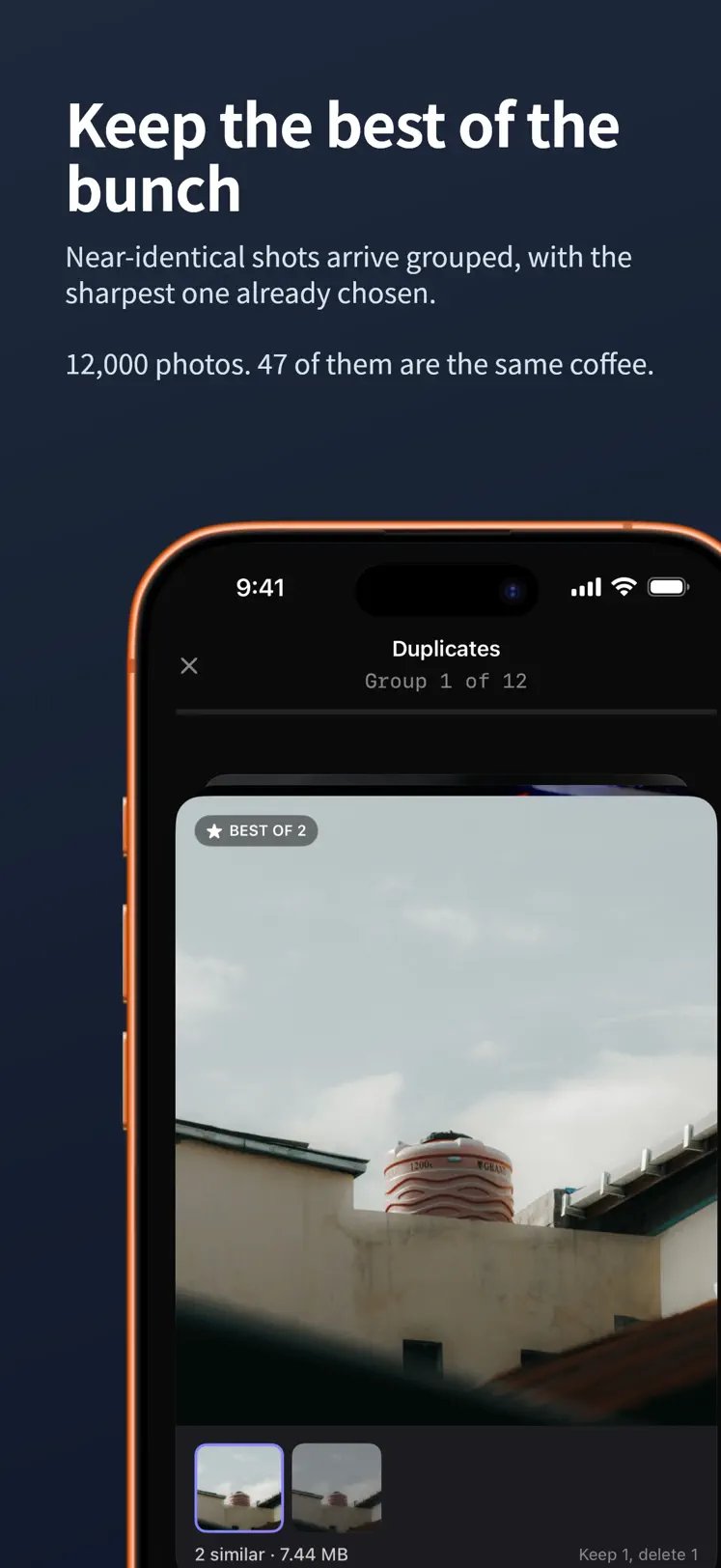
Near-identical shots grouped together with a suggested best shot
/04   Duplicates, grouped
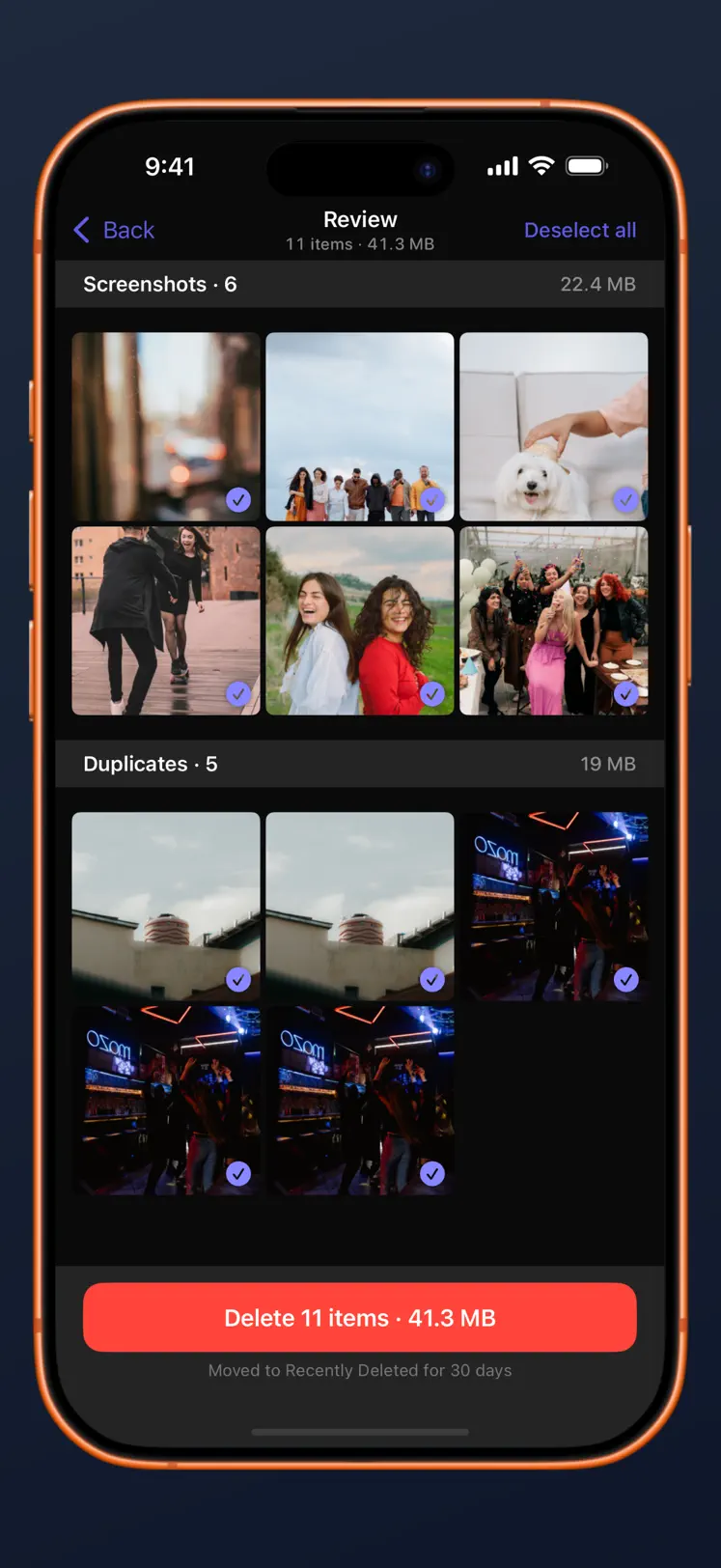
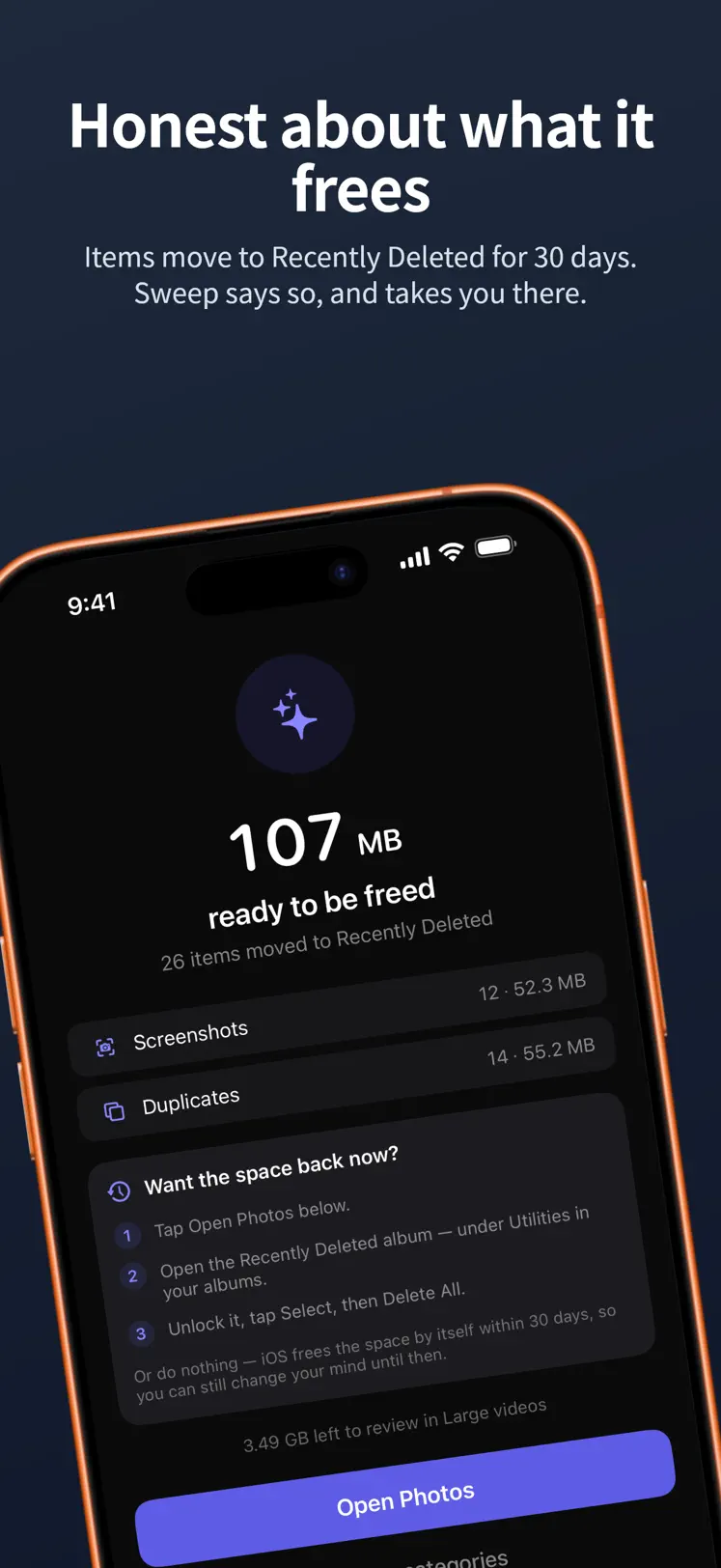
The review list showing everything queued for deletion and the space it frees
/05   Review before deleting
Session summary after confirming a batch of deletions
/06   Space back
What it finds

The photos actually worth deleting.

/01

Duplicates & bursts

Near-identical shots and burst runs grouped together, with a suggested best shot picked by sharpness, resolution and face quality. Keep one, drop the rest.

/02

Screenshots

Every receipt, meme and half-read article you saved once and never opened again — collected in one pile.

/03

Possibly blurry

On-device sharpness analysis that skips your favourites and portrait shots, so it surfaces the mistakes and leaves the keepers alone.

/04

Large videos

Sorted biggest first, because that's where the gigabytes are actually hiding.

/05

Swipe, don't agonise

Right to keep, left to delete, up for Keep Forever. Buttons for every gesture if you'd rather tap. Twenty-step undo, shake to undo, and you can catch a card mid-flight and change your mind.

/06

Pick up where you left off

Progress is saved as you go. Close the app mid-session, come back tomorrow, and you start from the next unseen photo — not the beginning. Rescan later and only new photos get analysed.

No surprises

Nothing is deleted until you say so.

/01

Every swipe is a queue, not a delete

Swiping left adds a photo to a review list. Nothing has left your library yet.

/02

See exactly what's queued

The full list, and how much space it frees. Uncheck anything you had second thoughts about.

/03

Confirm once

One system prompt, no matter how many items you queued up.

/04

Still recoverable for 30 days

Deleted photos sit in Recently Deleted. Sweep tells you exactly how to empty it — and never shows you a made-up "space freed" number.

Privacy

No account.
No cloud.
No internet.

Sweep contains zero networking code — no analytics, no crash reporter, no uploads, nothing. Your photos never leave your phone because there is nothing in the app capable of sending them. It works in Airplane Mode.

Data Not CollectedThat's the App Store privacy label on the listing, not a marketing claim.
Analysis runs on your deviceSharpness, duplicate detection and face quality are all computed locally.
No sign-in, everThere are no accounts, so there is nothing to create, log into or delete.
Read the full privacy policy
Built for everyone
VoiceOver actions on every cardFull Dynamic TypeReduce Motion handled
Questions

Anything else, email us — a person reads it.

support@trifectaapps.com
Can Sweep delete a photo without asking me? +
No. Swiping left only queues a photo in a review list — nothing is removed from your library at that point. You see the whole queue, uncheck anything you changed your mind about, and then confirm once. Deletion itself goes through the standard iOS prompt.
Where do deleted photos actually go? +
Into the Recently Deleted album, where iOS keeps them for 30 days before they're gone for good. Sweep explains how to empty it if you want the space back immediately — and it won't quote you a "space freed" figure that hasn't actually happened yet.
Does it need an account or an internet connection? +
Neither. There are no accounts, and the app contains no networking code at all — no analytics, no crash reporting, no uploads. It runs fine in Airplane Mode, and its App Store privacy label reads "Data Not Collected".
What does "Keep Forever" do — and can I undo it? +
Swiping a card up marks it Keep Forever, so it's never shown to you again in future scans. You can review the kept-forever list in Settings and release any photo back into future scans at any time. Nothing is ever locked away.
What if I swipe the wrong way? +
There's a twenty-step undo, you can shake to undo, and you can catch a card mid-flight and change your mind before it lands. And since deletions only queue up, the review list is a second chance on top of that.
Does it work on iPad and Mac? +
Yes. Sweep needs iOS 17 or later on iPhone, iPadOS 17 or later on iPad, and macOS 14 or later on a Mac with Apple silicon (M1 or later). One download covers all three.
What does it cost? +
Sweep is free to download. There's an optional one-time $1.99 Sweep Pro purchase available inside the app — a single purchase, not a subscription.
Ten minutes from now

Free up space. Keep the photos you love.
Never see that blurry one again.

Download on the App Store More from Trifecta Labs

FREE · IPHONE, IPAD & MAC · NO ACCOUNT · NO CLOUD